> ## Documentation Index
> Fetch the complete documentation index at: https://docs.dearest.app/llms.txt
> Use this file to discover all available pages before exploring further.
# Platforms
> Chat with your companion on your favorite messaging app.
## Supported platforms
Right now, Dearest supports **Telegram** as the primary way to chat with your companion. We're working on bringing your companion to more platforms. If you have a request, let us know on [Reddit](https://www.reddit.com/r/DearestAI/).
## Telegram setup
Head to the [Connections](https://dearest.app/link) page to get started. There are two ways to connect:
### Quick connect
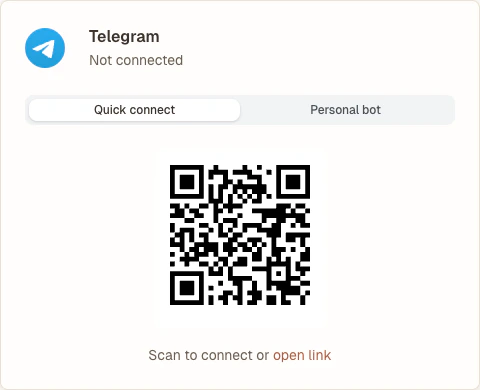
The fastest way to start chatting. You'll talk to your companion through the shared **@DearestAIBot** account. Just scan the QR code and tap **Start** in Telegram.
 ### Personal bot
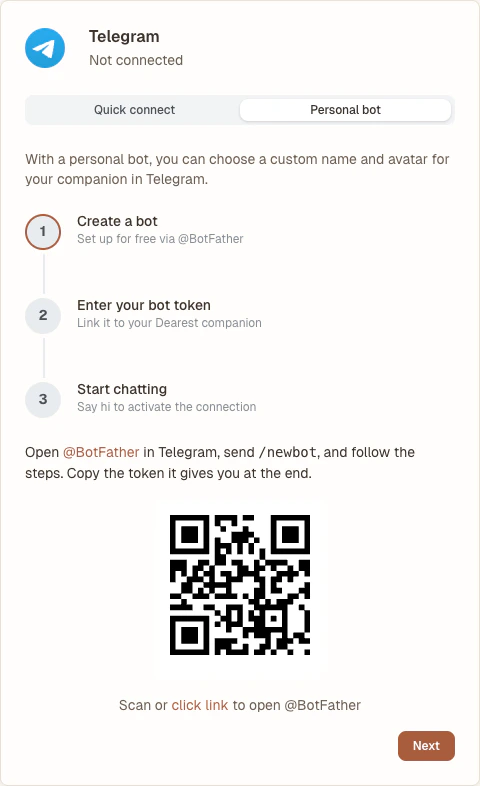
If you want your companion to have their own name and avatar in Telegram, switch to the **personal bot** tab. The page will walk you through creating a bot via [@BotFather](https://t.me/BotFather) and linking it to Dearest.
### Personal bot
If you want your companion to have their own name and avatar in Telegram, switch to the **personal bot** tab. The page will walk you through creating a bot via [@BotFather](https://t.me/BotFather) and linking it to Dearest.
 You can switch between quick connect and a personal bot at any time. Your conversation history is preserved when you switch.
## Multiple accounts
You can link more than one Dearest account to the same Telegram account, as long as each account uses a different Telegram bot. For example, one account can use quick connect while others each use their own personal bot. The shared **@DearestAIBot** can only be linked to one Dearest account at a time.
You can switch between quick connect and a personal bot at any time. Your conversation history is preserved when you switch.
## Multiple accounts
You can link more than one Dearest account to the same Telegram account, as long as each account uses a different Telegram bot. For example, one account can use quick connect while others each use their own personal bot. The shared **@DearestAIBot** can only be linked to one Dearest account at a time.