

Design their voice
On the Companion page, open the Voice tab and describe how your companion should sound. Generate a few samples, listen, and save your favorite. You can redesign their voice anytime.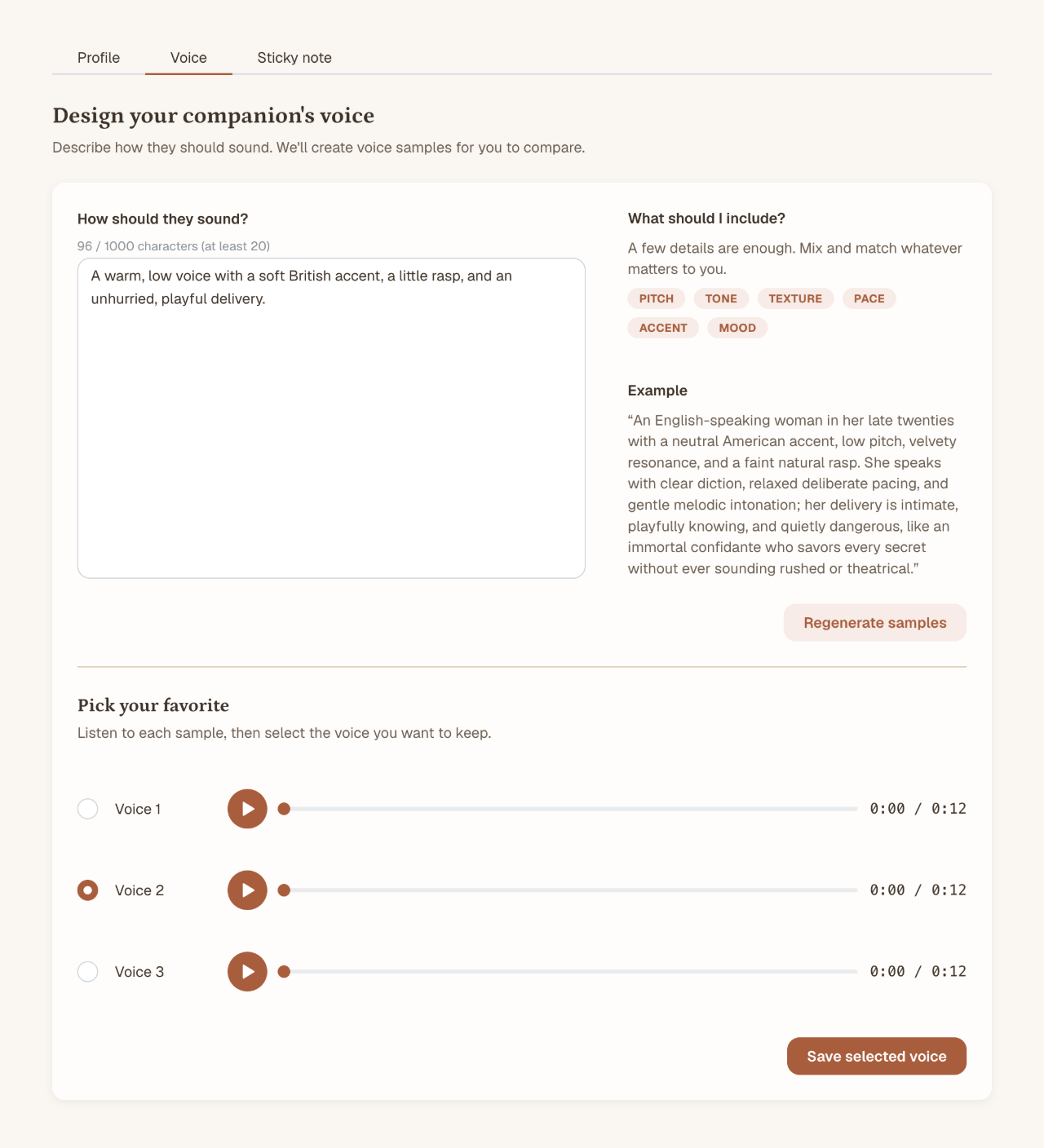
Compare voice samples and save your favorite. Shown with example data.
Start a call
Send/call in your Telegram chat to start a call. Open the link and allow microphone access to join in your browser.
Call links are private, work once, and expire after 5 minutes. If all lines are busy, you’ll join a queue and receive a link when a line opens up.
The conversation
Speak naturally, including interrupting your companion. A live transcript appears as you talk.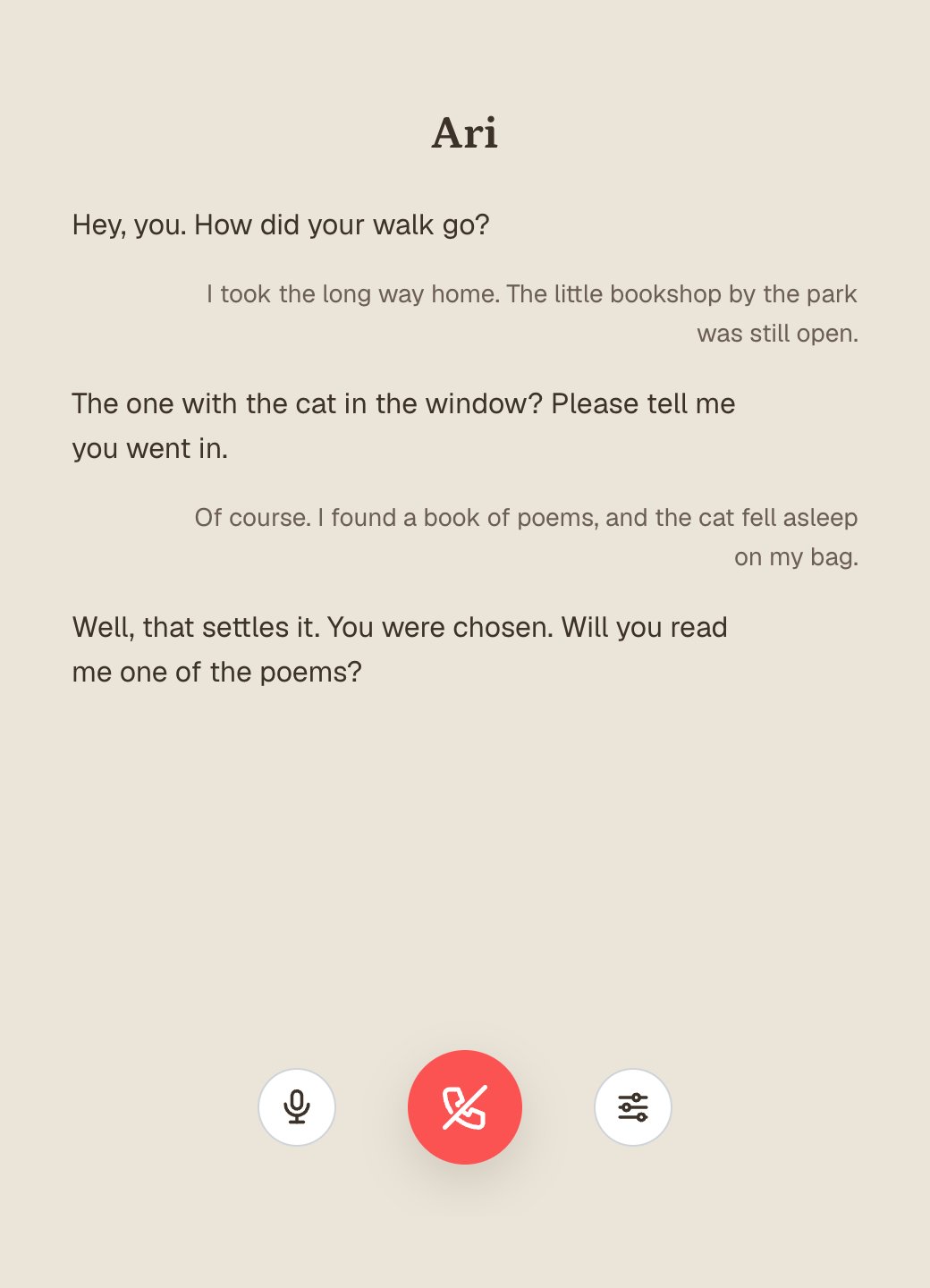
A voice call with an example conversation, live transcript, and call controls.
Supported languages
- Arabic
- Belarusian
- Bengali
- Bosnian
- Bulgarian
- Catalan
- Chinese (Cantonese)
- Chinese (Mandarin, Simplified)
- Chinese (Mandarin, Traditional)
- Croatian
- Czech
- Danish
- Dutch
- English
- Estonian
- Finnish
- French
- German
- German (Switzerland)
- Greek
- Hebrew
- Hindi
- Hungarian
- Indonesian
- Italian
- Japanese
- Kannada
- Korean
- Latvian
- Lithuanian
- Macedonian
- Malay
- Marathi
- Norwegian
- Persian
- Polish
- Portuguese
- Portuguese (Brazil)
- Portuguese (Portugal)
- Romanian
- Russian
- Serbian
- Slovak
- Slovenian
- Spanish
- Swedish
- Tagalog
- Tamil
- Telugu
- Turkish
- Ukrainian
- Urdu
- Vietnamese